In this article
- 1What Smart Packaging Means in Plain Words
- 2Smart Packaging Options a Small Brand Can Use
- 3What to Put Behind a QR Code
- 4How to Add a QR Code to Your Box
- 5QR Code Print Rules That Keep It Scannable
- 6Privacy, Consent and Honest Claims
- 7Three Examples
- 8Cost and Trade-Offs
- 9Who Should Skip Smart Packaging
- 10Common Smart Packaging Mistakes
- 11Smart Packaging Checklist
- 12Plan It With Us
Smart packaging for a small brand usually means one practical thing: a QR code printed on the box or on an insert card that opens a page on the customer's phone. Fancier options such as NFC tags, freshness indicators and augmented reality exist, but they cost more, need more setup and suit fewer products.
This guide explains what smart packaging means in plain words, which options a small brand can sensibly use, what to put behind a QR code and how to print one so it scans. It also covers privacy, cost, who should skip it and the mistakes that make a code useless. For NFC, sensors and augmented reality we give general background only, so ask us what is possible for your project.
If you are still deciding the box itself, start with our guide to choosing the right box for your product. This article is about what you can add to a printed box once you know which one you need.
Key takeaways
- Start small. A QR code on the box or an insert card is the most practical first step for a small brand.
- Build the page first. The page behind the code must load fast and read well on a phone. The code is only the doorway.
- Print it so it scans. Use a dark code on a plain light background, with a blank margin, at about 0.8 inch (2 cm) or larger, and never across a fold.
- Test before the full run. Scan a printed proof or sample with several phones, in normal room light.
- Skip it if it adds nothing. If you have nothing useful to show after the scan, a better box or a simple insert card does more.
What Smart Packaging Means in Plain Words
Smart packaging is packaging that does more than hold and protect a product. People use the term for two different ideas, and it helps to keep them apart.
Active Packaging
Active packaging acts on the product to protect or preserve it. A small sachet that absorbs oxygen or moisture is the classic example, and so are films and coatings made to slow spoilage. Active packaging is mostly used for food, supplements and some electronics, and it needs specialist materials from specialist suppliers.
Intelligent Packaging
Intelligent packaging carries information, senses something or connects to a phone. A QR code is the simplest form. Others include NFC tags, indicators that change color with time or temperature, tamper seals and codes that help check a product is genuine.
When a small brand asks about smart packaging, it almost always means the second group, and mostly the part that connects the box to a phone. That is where this guide spends its time.
Smart Packaging Options a Small Brand Can Use
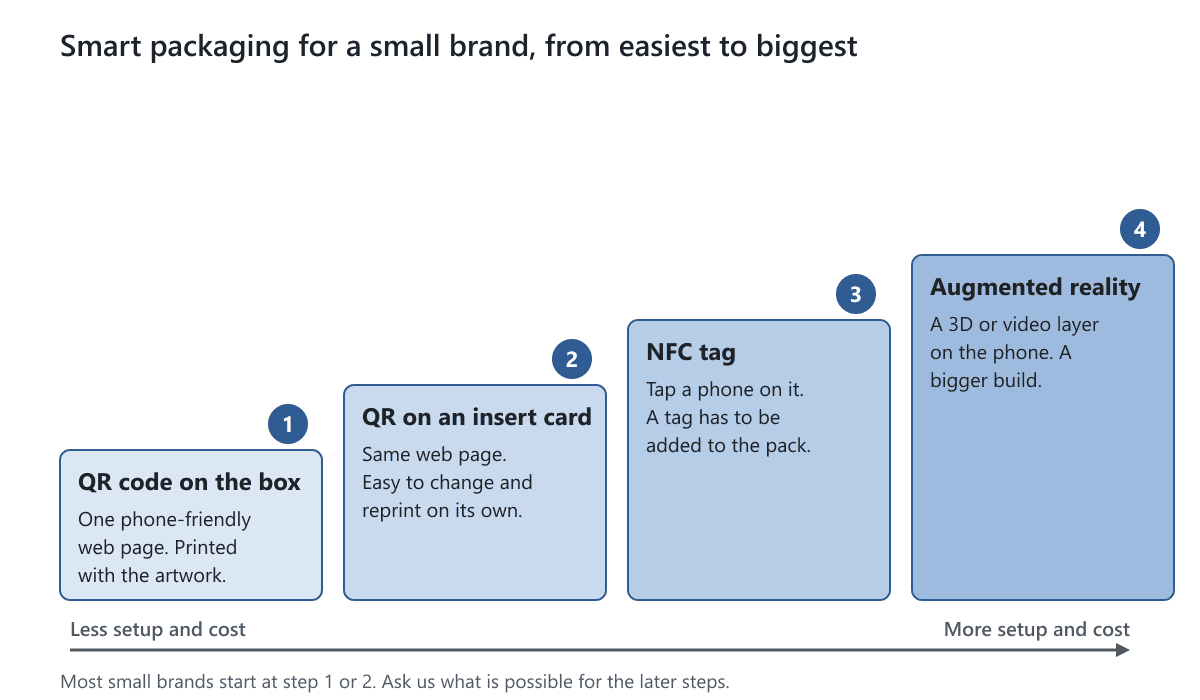
The table compares the main options. Cost is shown as a level, not a price, because it depends on your design, your quantity and who builds the digital side. Effort means your own work, mostly the page or content behind the pack.
| Option | Effort | Cost level | What the customer does | Best for |
|---|---|---|---|---|
| QR code on the box | Low | Low | Scans with the phone camera | Setup guides, videos, reorders |
| QR code on an insert card | Low | Low | Scans the card after opening | Testing an idea, content that changes |
| NFC tag (sticker or insert) | Medium | Medium | Taps a phone on the tag | Premium products, repeat visits |
| Freshness or tamper indicator | Medium | Medium | Reads a color change or a broken seal | Food, health and supplement products |
| Unique code for authenticity | Medium to high | Medium | Scans to check the product | Products that get copied |
| Augmented reality | High | High | Opens a camera view with 3D or video | Launches, gifts, big campaigns |
QR Codes
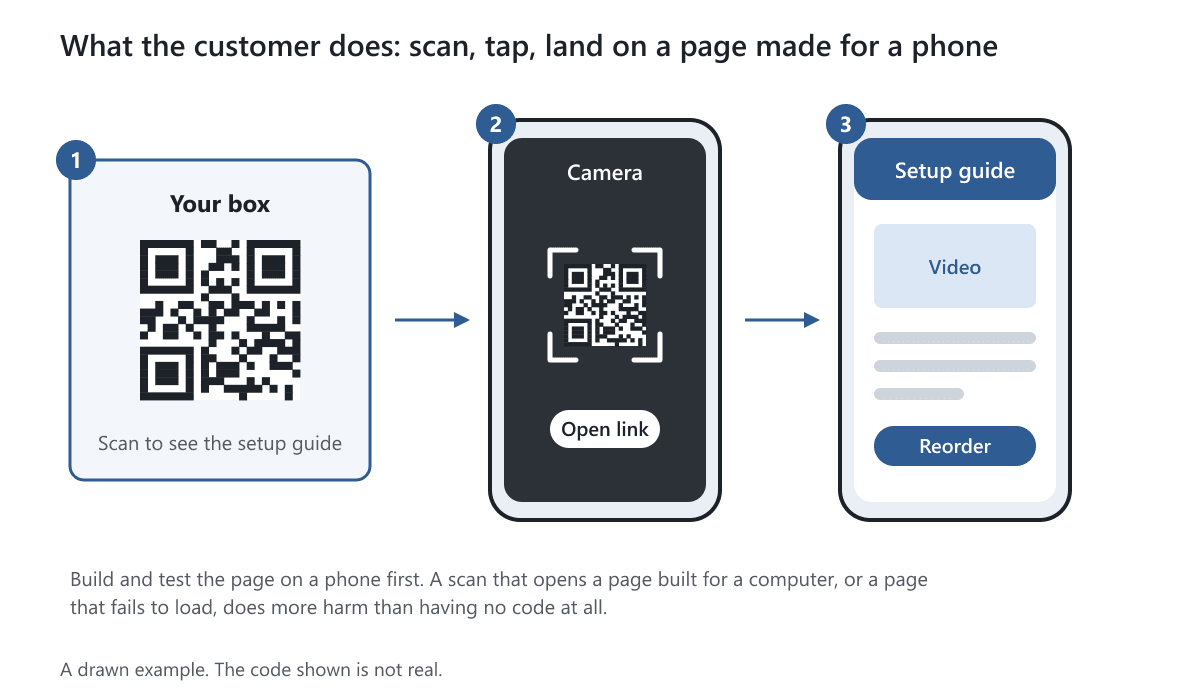
A QR code is a square pattern that a phone camera reads and turns into a web address. Most current phones scan one with the built-in camera, with no app. It is printed with the artwork, so it needs no extra part.
Insert Cards
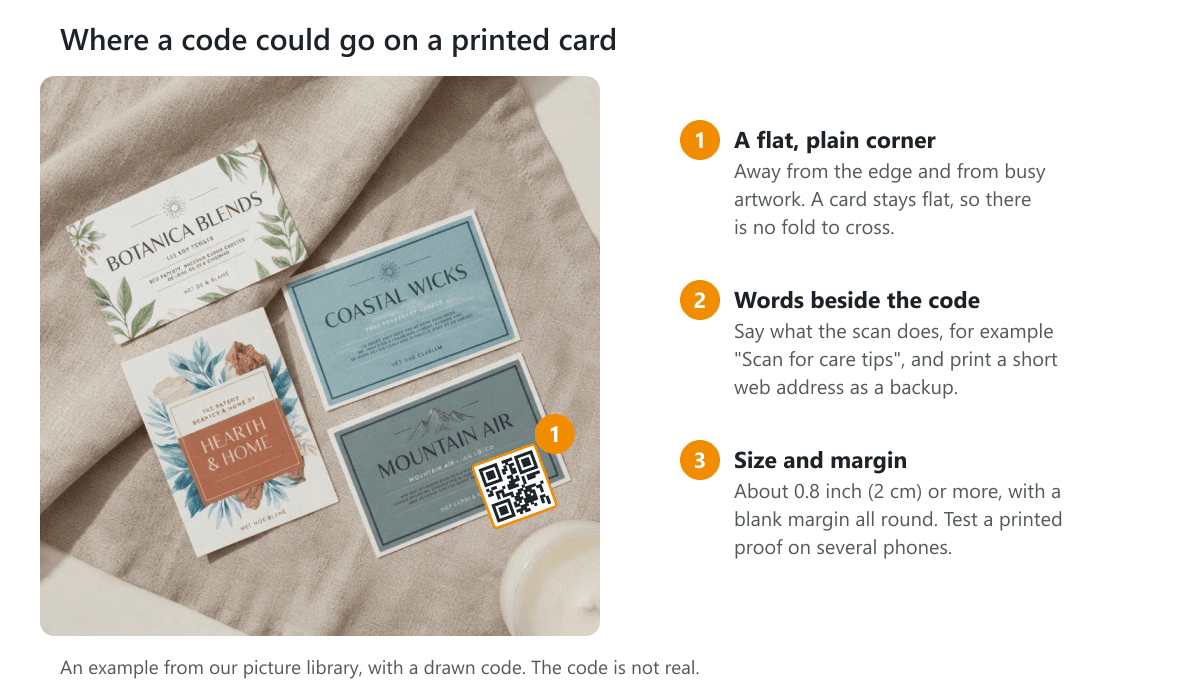
A printed card placed in the box can carry the code, a short web address and a friendly line of text. The big advantage is that you can change or reprint a card without touching the box. That makes a card a good way to test whether customers use the code at all.
Here is an example from our picture library showing printed cards, with a drawn code in one corner to show where a code could sit.
Stickers and Labels
A printed sticker or label with a code is a low-cost way to try the idea on boxes you already have. Put it on a flat area, away from seams.
NFC Tags
NFC stands for near field communication. A small chip with an antenna sits in a sticker or card, and a phone held within a few centimeters reads it. Customers tap instead of scan. Many recent phones can read tags, but older ones may not, so check which phones your customers use. Metal, including foil, can interfere with the signal. Ask us what is possible for your project.
Indicators and Active Packaging
Freshness, temperature and oxygen indicators change color to show what happened to the product. They are specialist items, mostly for food and health products, and they come from specialist suppliers. If you sell something people eat or take, talk to your food-safety or regulatory adviser before adding one.
Authentication Marks
A unique code gives each box its own number, so a scan can check that the box was made for you. That needs a different code on every box and a database to match it. Not every printing method can print a different code on each box, so ask before you plan it. A printed code can also be copied, so on its own it is weak protection.
Augmented Reality
Augmented reality (AR) puts 3D models or video on top of the camera view. Some run in a phone browser and some need an app. Either way, someone has to build the content, which makes AR the largest project on the list. It suits a launch or a gift more than an everyday product.
What to Put Behind a QR Code
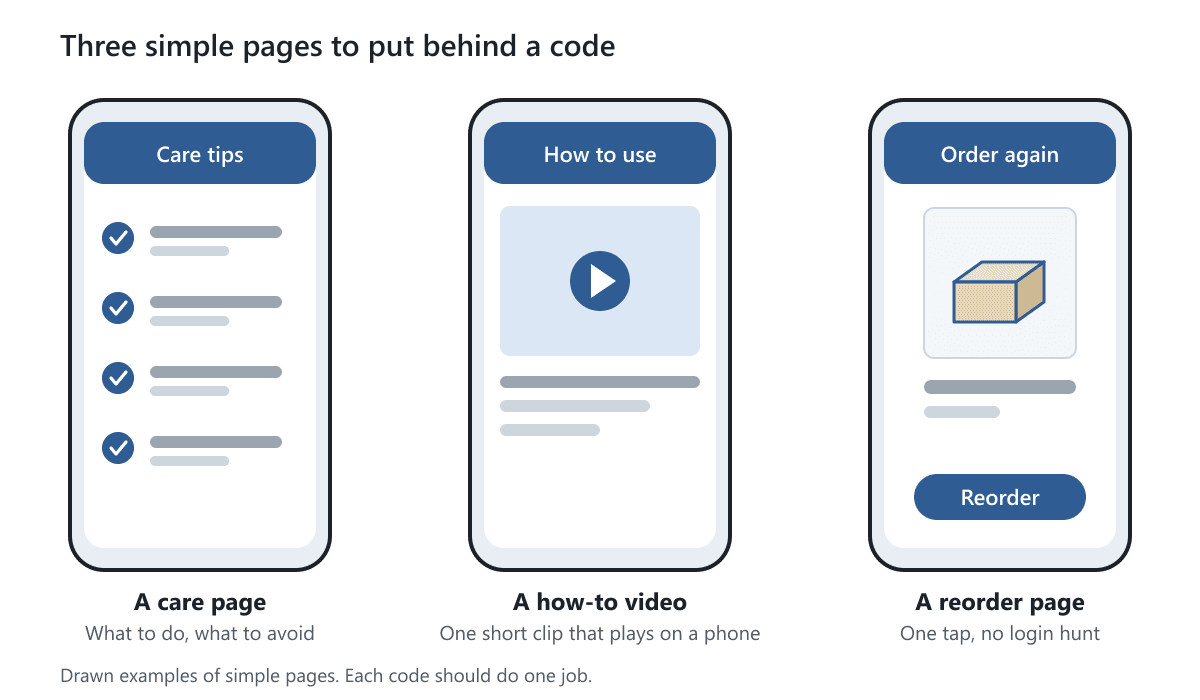
A code is only as useful as the page it opens. Give each code one clear job, and tell the customer what that job is in a few words printed next to it, such as "Scan for the setup guide".
- Setup or assembly guide. Short steps with pictures or a video.
- Care or use instructions. What to do, what to avoid and how to store it.
- A how-to video. Hosted on a page that plays on a phone.
- A reorder page. The product, ready to buy again, with no login hunt.
- Warranty or product registration. A short form, with a note on how you use the details.
- An authenticity check. A page that confirms a unique code is genuine.
- Your story or social link. Fine as a bonus, but weaker than a page that helps.
Whatever you choose, build the page for a phone first. It should load quickly, use large text and put the one thing the customer came for at the top. If the page needs a long form or a login, most people will leave.
Here are three simple pages, drawn as phone screens, that each do one clear job.
How to Add a QR Code to Your Box
You can do the first four steps before you talk to a printer. Follow them in order.
- 1. Decide the goal. Pick one job for the code, from the list above.
- 2. Build the page first. Make it work on a phone. Check it loads on mobile data, not only on your office wifi.
- 3. Generate the code. Use a code generator you trust, and save the result as a vector file (SVG or PDF) so it stays sharp at any size.
- 4. Choose the size and place. Pick a flat panel with room for the code and a blank margin. Our free dieline templates show which panels are flat.
- 5. Check contrast. Use a dark code on a light, plain background. Keep patterns, photos and textures out from behind it.
- 6. Avoid the trouble spots. Keep the code off folds, creases, glue areas, foil, embossing and spot UV.
- 7. Test a printed proof or sample. Scan it with an iPhone, an Android phone and an older phone. See the next section for what to check.
- 8. Track scans. Add a tracking tag to the address, or use your page analytics, so you know whether the code is used.
Send us the code as part of your artwork. Our guide to preparing dielines for printing explains how to set up the file, and our artwork and proofs article explains how we check it with you before printing.
QR Code Print Rules That Keep It Scannable
These are general guidelines used across print, not a promise for a specific box. Always confirm with a test scan.
Size and Margin
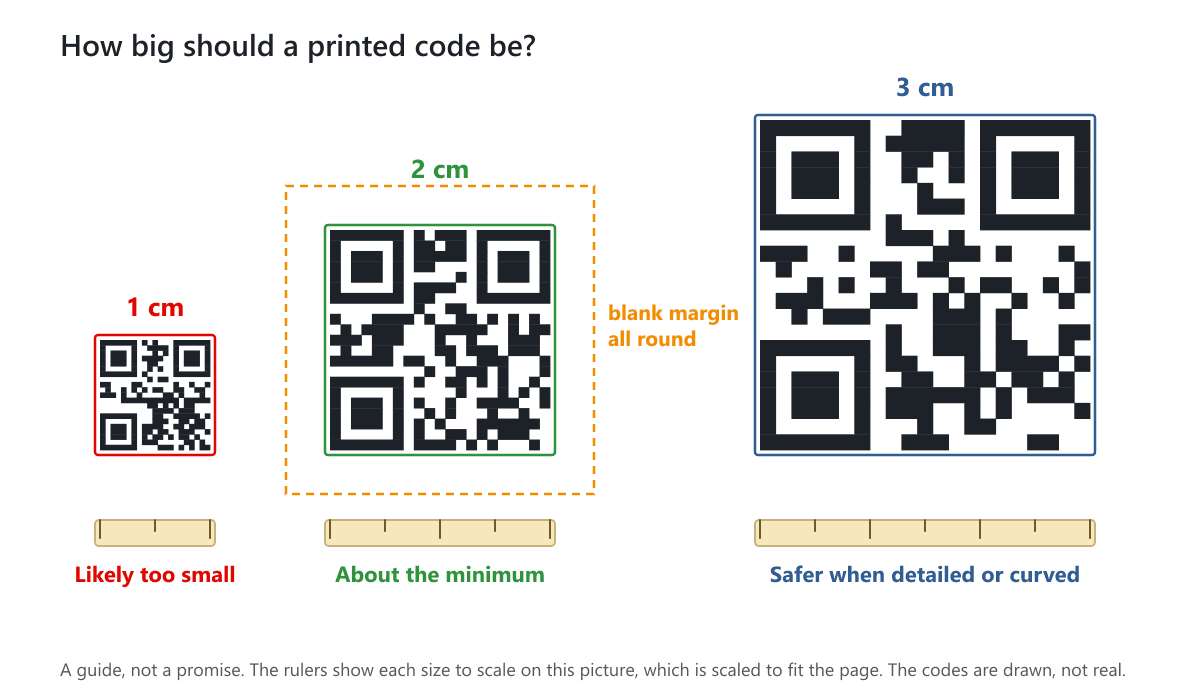
A common rule of thumb is a printed size of about 0.8 inch (2 cm) or more on each side. Go larger if the code is detailed, if people scan from further away or if it sits on a curved or textured surface. Leave a blank margin all round, usually at least the width of four of the code's small squares. Nothing else should touch it.
The drawing below compares a few printed sizes against a small ruler.
Contrast and Color
A dark code on a light, plain background scans best. Black on white is the safest. Dark blue or dark green can work too. Avoid pale codes, codes on a busy picture and codes in reverse (light on dark), because some scanners struggle with them.
Finishes Near a Code
Finishes change how light bounces off the surface, and that changes how well a camera reads it. Our own finish options are foil stamping, embossing, debossing, spot UV, and matte, glossy, satin or soft touch coatings. Here is how each can affect a code.
| Finish | Effect on a code | What to do |
|---|---|---|
| Matte or satin coating | Usually fine, low glare | Test a proof |
| Soft touch coating | Usually fine, a little soft | Test a proof |
| Glossy coating | Glare can hide the code under bright light | Test in sun and under shop lights |
| Spot UV | Raised shine can break the pattern | Keep it off the code |
| Foil stamping | Reflective and uneven, so scans may fail | Keep it off the code |
| Embossing or debossing | Changes the shape of the squares | Keep it off the code |
Folds, Seams and Glue
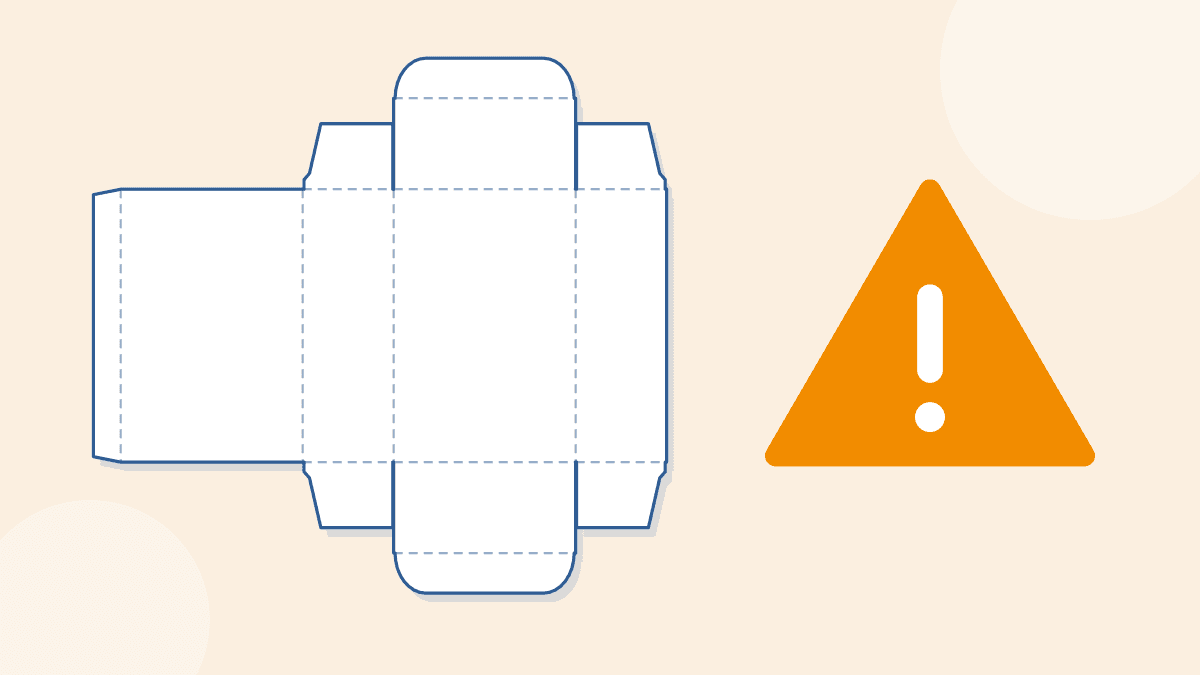
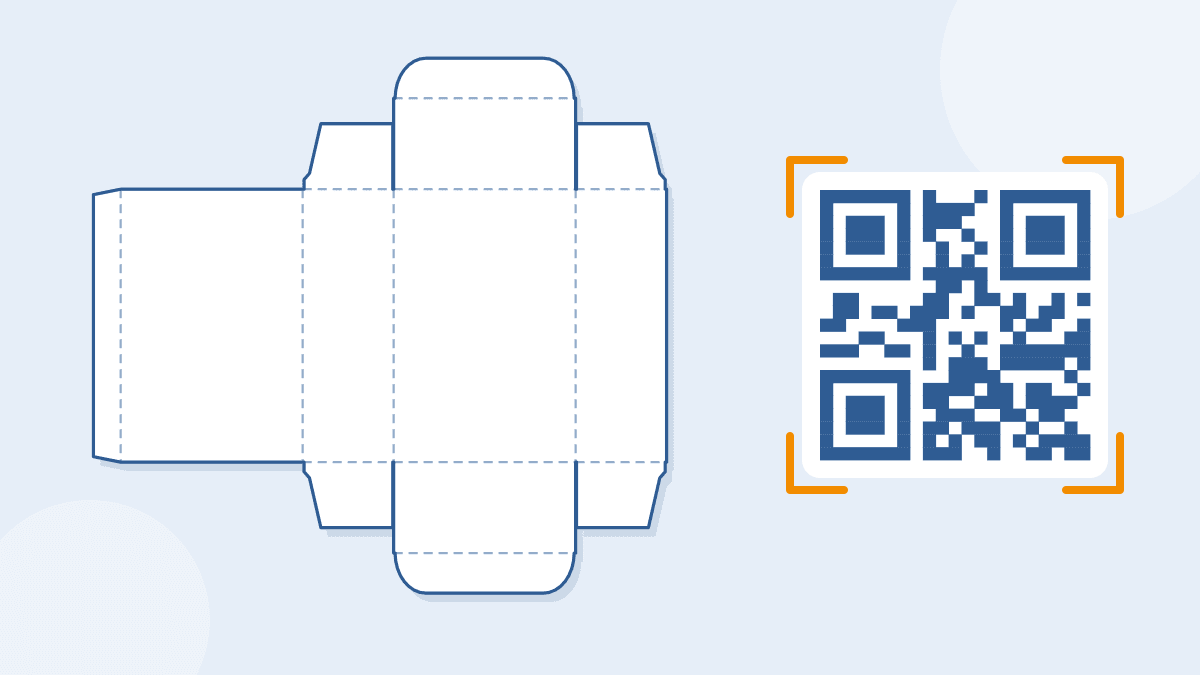
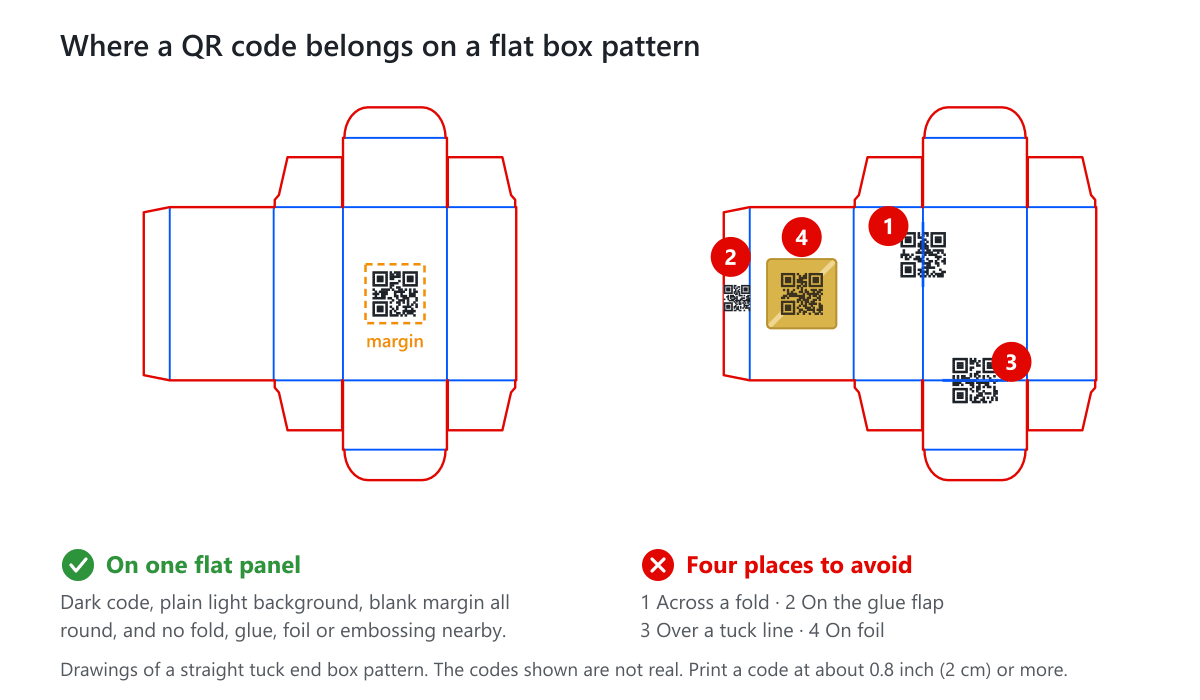
A code that bends over a fold, a crease or an edge is distorted, and part of it faces away from the camera. The same goes for a glue flap, which ends up hidden or covered. Choose a flat panel that is clear on every side. The drawing below shows good and bad places on a flat tuck box pattern.
Static and Dynamic Codes
A static code holds the web address itself and never changes. A dynamic code points to a short address that a service redirects, so you can change the destination later and count scans. Dynamic codes depend on that service staying active, so choose one you trust, keep control of the account and, if you can, use an address on your own domain. A printed box cannot be corrected later, so a code that points to a dead page is a real risk.
Test It Properly
Scan a printed proof or a physical sample, not only the file on your screen. Try several phones, at arm's length and close up, in daylight and under room light. A Standard Sample Kit costs $50, shipping included, and it may not include rigid boxes or boxes that ship assembled. The samples page lists samples of your own design and size.
Privacy, Consent and Honest Claims
A code that sends people to a form or tracks them is handling personal data. This is general information, not legal advice. Check the rules in the places where you sell.
- Say what you collect. If a page asks for a name or email, say why and link to your privacy policy.
- Ask when you need to. Some places require consent before you track people or send them marketing. Rules such as GDPR in Europe and state privacy laws in the US differ.
- Keep it minimal. Collect only what the page needs for its job.
- Keep claims true. An authenticity page, a freshness note or a health statement behind a code must be accurate. A printed box can also be regulated for what it says, so check the rules for your product.
Three Examples
These are made-up examples that show the thinking. They are not real customers.
- A small candle brand. It puts a code on an insert card, not on the box. The page has burn and care tips and a reorder button. When the tips change, only the card is reprinted.
- A small skincare brand. It prints a code inside the lid of the box, so it shows only after opening. The page plays a one-minute how-to-use video.
- A seller of phone accessories. It prints a code on the back panel of the box, with the words "Setup guide" beside it. The page has a short video and a warranty form.
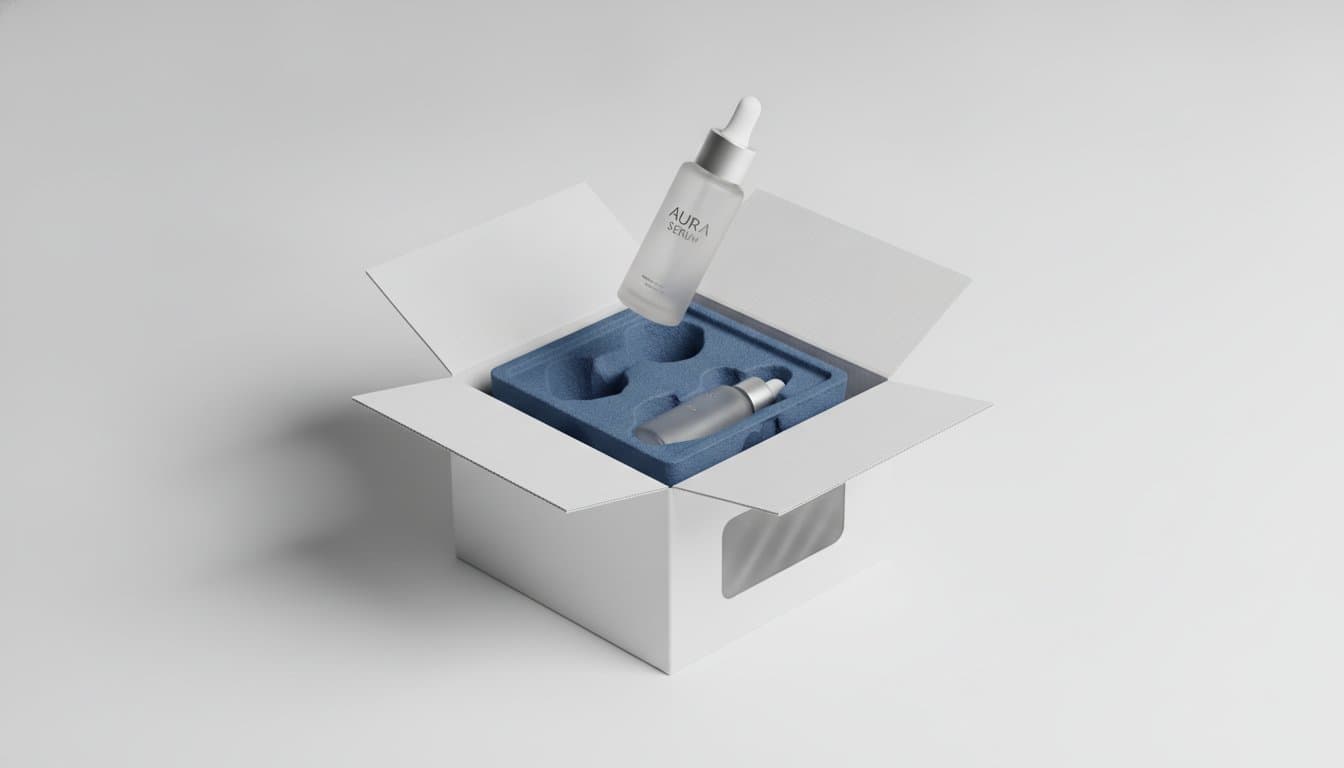
This example from our picture library shows a lidded gift box, with a drawn code placed on the inside of the lid.
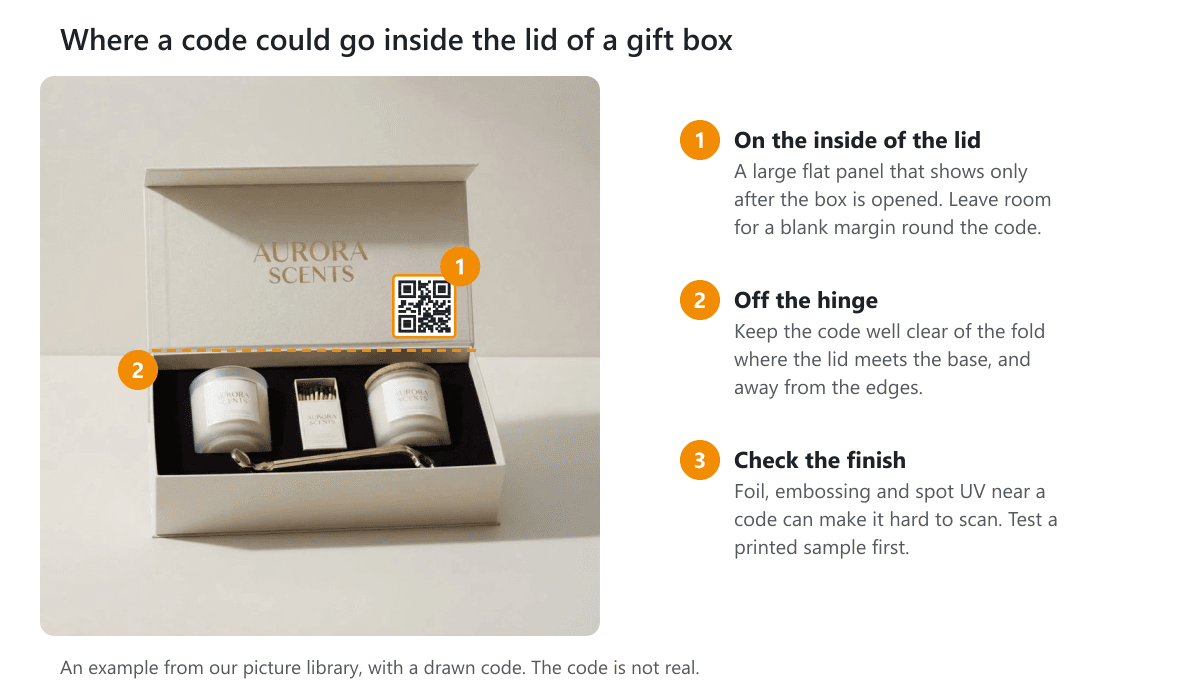
In each case the code does one job and the page is useful on its own. If you order boxes printed on the inside, ask us about placing a code inside the lid of a mailer box or a tuck box.
Cost and Trade-Offs
A printed code is part of the artwork, so for most small brands the cost is mostly your time: building the page, testing it and keeping it up to date. Here are the trade-offs to weigh.
- Fixed on the box. A code printed on the box lasts for the whole run. An insert card or sticker is easier to change.
- Page upkeep. Hosting, updates and a working address have to continue for as long as the box is in circulation.
- Not everyone scans. Print a short web address under the code for customers who prefer to type it.
- Extra parts cost more. An NFC tag, an indicator or an AR build adds a part or a project, so its cost level is higher than a printed code.
- Space and design. A code needs a clear flat area. On a small box it may push you toward a card.
If the product also needs holding in place, see our box inserts. For a wider view of cost drivers, read our guide to the impact of packaging costs on product pricing.
Who Should Skip Smart Packaging
A code is not for everyone. Skip it, or wait, if any of these fit.
- You have nothing useful to show. A code that opens your home page gives the customer no reason to scan.
- The product or page is still changing. Fix those first, or use an insert card.
- There is no flat space. A very small or curved box may have no room for a code that scans.
- You cannot manage the data. If you cannot handle privacy duties, keep the page simple and collect nothing.
Money may do more good elsewhere, for example on a better fit, a stronger box or a cleaner design. Our guide to designing packaging for a new product is a good place to start.
Common Smart Packaging Mistakes
- Printing the code before the page is built and tested.
- Sending people to a page made for a computer, or to your home page.
- Printing the code too small, or on a busy or low-contrast background.
- Putting the code across a fold, on a glue flap or under foil, embossing or spot UV.
- Using a dynamic code from a service you do not control, then losing access.
- Skipping a test scan of the printed proof.
- Placing a marketing code beside the shipping barcode, which can confuse scanners. See where to put the shipping label on a box.
- Collecting personal data without saying so.
Smart Packaging Checklist
- One clear job for the code, and a few words next to it that say what it is.
- A phone-friendly page that loads fast on mobile data.
- A vector file of the code, dark on a plain light background.
- At least 0.8 inch (2 cm), with a blank margin all round.
- A flat panel, clear of folds, glue, foil, embossing and spot UV.
- A short web address printed in text as a backup.
- A test scan of a printed proof on several phones.
- A plan for tracking scans, and a privacy line if you collect data.
Plan It With Us
We print custom packaging in CMYK or Pantone, and design support is free. We confirm your dieline and show a 3D preview with your artwork before printing, so you can check where a code sits. We also print cards and stickers and labels if you want to start with something small.
For NFC tags, indicators or augmented reality, tell us what you have in mind and we will confirm what is possible. Get a free quote and we reply within 1 business day, or browse our custom packaging.
Frequently Asked Questions
What is smart packaging?
Smart packaging is packaging that does more than hold a product. Active packaging protects or preserves it, for example with an oxygen absorber. Intelligent packaging carries or senses information, or connects to a phone, for example with a QR code or an NFC tag.
What is the difference between active and intelligent packaging?
Active packaging changes the conditions around the product, such as removing oxygen or moisture. Intelligent packaging tells you or the customer something, such as a scannable code, a freshness color change or a tamper seal. A small brand mostly uses the intelligent kind, starting with a QR code.
How big should a QR code be on a box?
A common rule of thumb is about 0.8 inch (2 cm) on each side or more, with a blank margin around it. Go larger for detailed codes, longer scanning distances or curved surfaces. The only reliable check is to scan a printed proof with several phones.
Can I put a QR code on a glossy or foil box?
A code can work under a matte, satin or soft touch coating, and glossy coating can cause glare. Keep foil stamping, embossing, debossing and spot UV off the code itself, because they change how light reflects and how the squares look. Always test a printed proof.
Is a QR code on packaging worth it for a small brand?
It is worth it when the page behind the code helps the customer, for example with a setup guide, care tips, a video or a reorder button. It is not worth it if the code opens a home page and adds nothing. Starting on an insert card is a low-risk way to find out.
Do I need permission to collect data from QR code scans?
It depends on what you collect and where your customers live. If a page asks for personal details or tracks people, say so and link to your privacy policy. Some places require consent first. This is general information, not legal advice, so check the rules where you sell.
Can you add NFC tags or sensors to my packaging?
We print custom boxes, cards, inserts and stickers with a code on them. For NFC tags, sensors and augmented reality, tell us what you have in mind and we will confirm what is possible. You can get a free quote and we reply within 1 business day.
Written by the PacksDo Team
We make custom printed packaging, from boxes and mailers to bags, labels and inserts. Questions about this guide? Ask us.