In this article
- 1The Eight Steps at a Glance
- 2Step 1: Define the Product and the Buyer
- 3Step 2: List Your Limits
- 4Step 3: Choose the Structure and Material
- 5Step 4: Plan the Message and the Brand
- 6Step 5: Build the Dieline and the Artwork
- 7Step 6: Sample, Test and Revise
- 8Step 7: Set the Budget and the First Order
- 9Step 8: Plan the Timeline and the Launch
- 10Common Mistakes When Packaging a New Product
- 11Special Cases
- 12New Product Packaging Launch Checklist
- 13Your Next Step
To design packaging for a new product, work in this order: define the product and the buyer, list your limits (size, weight, shipping, shelf and budget), choose a box type and material, plan what the pack must say, build the artwork on a dieline, test a sample, and only then order the first run. Skipping steps is how most launch packaging goes wrong.
This guide is a plan for a first launch. It gives you the eight steps, a one-page brief you can copy, an example timeline worked back from a launch date, the common mistakes, and a launch checklist. If you need help with one part, our guides to choosing the right box, measuring a box and packaging costs go deeper.
Key takeaways
- Start with the product and the buyer, not with the box. The product, the sales channel and the limits decide the structure.
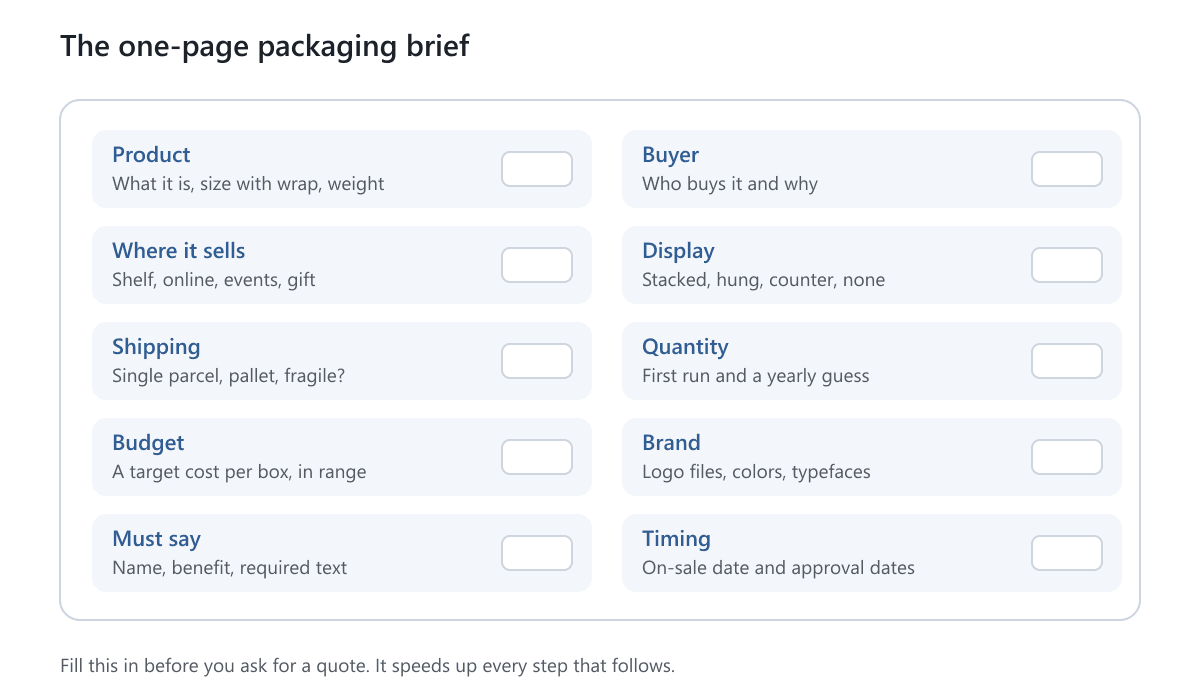
- Write a one-page brief before you ask for a quote. It saves time and avoids rework.
- Plan the message in order: brand, product name, one benefit, then the required details.
- Build artwork on a dieline, the flat pattern of the box, and check bleed and safe areas.
- Always test a sample before a full run, even a plain unprinted one.
- Work back from your launch date and add a buffer. Production takes 5 to 7 working days after approval and payment, plus delivery.
The Eight Steps at a Glance
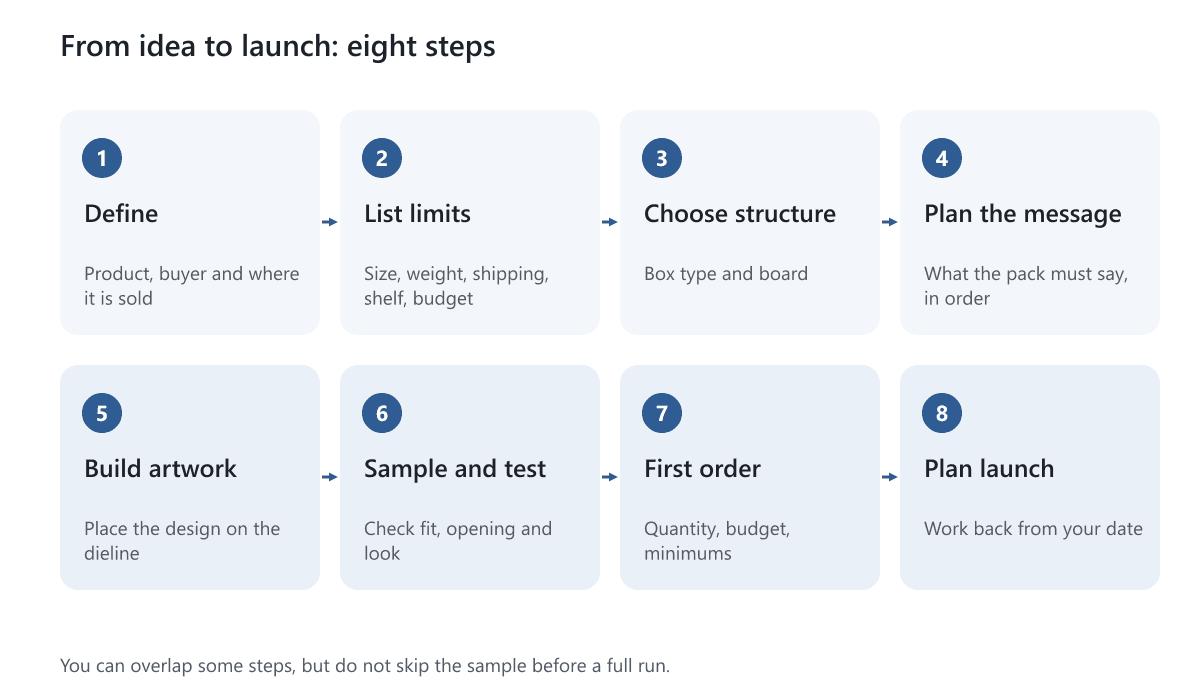
The steps overlap in real life. You may sample while you finish the artwork. What matters is that each step has a clear output, and that nothing goes to print before the sample is checked.
Step 1: Define the Product and the Buyer
Packaging is built around two things: what is inside and who is buying it. Write both down in plain words.
- What the product is. Its size with any wrap or cap, its weight, its shape and whether it is fragile, sticky, oily or sensitive to light.
- Who buys it. A gift buyer, a daily user, a retailer's customer or a subscriber. Each expects something different from the pack.
- How they buy it. In a store, on a website, at events or as a gift. A store pack must sell itself on the shelf. An online pack must survive shipping and make the first opening feel good.
- Why they choose it. The one reason someone would pick your product. This becomes the main message on the pack.
Use the one-page brief below to keep it all in one place. Fill it in before you design anything.
Step 2: List Your Limits
Limits narrow the choices and stop you falling for a design that cannot work. List the ones that apply.
| Limit | Questions to ask | What it affects |
|---|---|---|
| Size and weight | How big and how heavy is the product, with its wrap? | Inside dimensions, board strength |
| Sales channel | Store, online or both? | Retail carton or shipping box |
| Display | Stacked, hung, counter or none? | Hang tab, window, top panel |
| Shipping | Single parcel, bulk, fragile? | Corrugated board, inserts, box size |
| Storage | Where will empty and full boxes be kept? | Flat-packing or assembled boxes |
| Environment | Heat, moisture, oil, cold? | Coating, board, lining |
| Rules | Does the product need warnings, ingredients or safety closures? | Space for text, closure type |
| Budget | What can a box cost per unit? | Board, print, finishes, quantity |
| Quantity | How many do you need now, and in a year? | Minimums and unit cost |
If regulations apply to your product, such as food, cosmetics, supplements, child-resistant closures or age warnings, check them at this stage. You are responsible for the text and safety features on the pack. Tell us what you need, and we confirm what is possible.
Step 3: Choose the Structure and Material
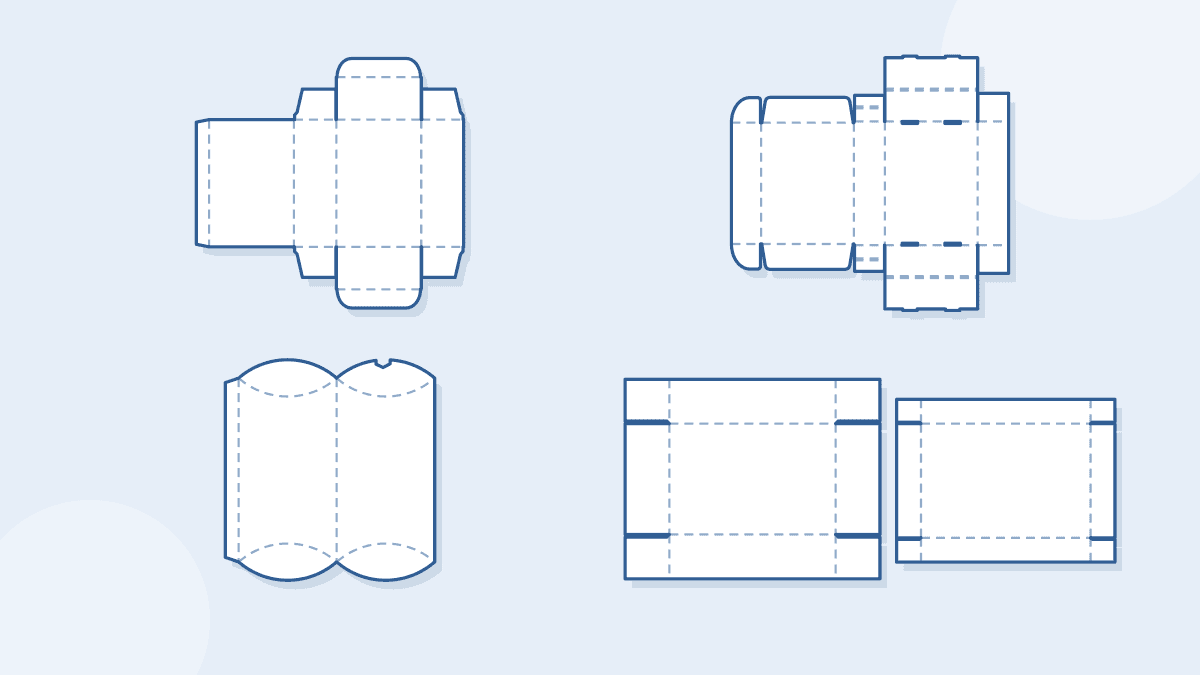
With the limits written down, the box type usually becomes obvious. Here is how common products map to structures.
| Product and situation | Box type to look at | Why |
|---|---|---|
| Light retail product on a shelf | Tuck boxes | Paperboard, ships flat, prints well |
| Product shipped to customers | Mailer boxes | Corrugated, protective, works as an unboxing box |
| Heavy or fragile shipment | Shipping boxes with inserts | Strength and fit |
| Gift or premium product | Rigid boxes | Thick board, premium feel |
| Small light items or favors | Pillow boxes | Simple, low-cost |
| Unusual product shape | Custom shaped boxes | A shape made for the product |
| Counter or impulse sale | Display boxes | Opens into a tray or stand |
Material follows the structure. Paperboard, white or brown kraft, is typically 300 to 400gsm for folding cartons. Corrugated board suits mailers and shipping boxes, and rigid board is 800 to 2000gsm. If a product will be sold in more than one way, you may need two boxes, such as a retail carton and a shipping carton. See what retail packaging is for the difference.
Think about disposal early if your customers care. Plain paper-based boxes without plastic film are generally the easiest to recycle, and laminations, foils and windows can make that harder. Recycled stock options are available on request.
Step 4: Plan the Message and the Brand
Before any design, decide what the pack has to say, in order of importance. This is the information hierarchy.
- First: the brand and the product name. A shopper should know what it is in a few seconds.
- Second: one benefit. Choose the one thing that makes someone buy.
- Third: size, count or variant, such as scent or flavor.
- Fourth: directions, ingredients and warnings, on the side or back.
- Last: contact details, website and the barcode if you need one.
Gather the content now, not at the end. That includes your logo as a vector file, your brand colors with Pantone or CMYK values, your text, and the required information. Late text is the main reason artwork is rushed.
Colors need a plan too. Read our guide to choosing the right colors for custom packaging for CMYK vs Pantone, paper color and proofing. If you are new to branding a box, see what branded boxes are.
Step 5: Build the Dieline and the Artwork
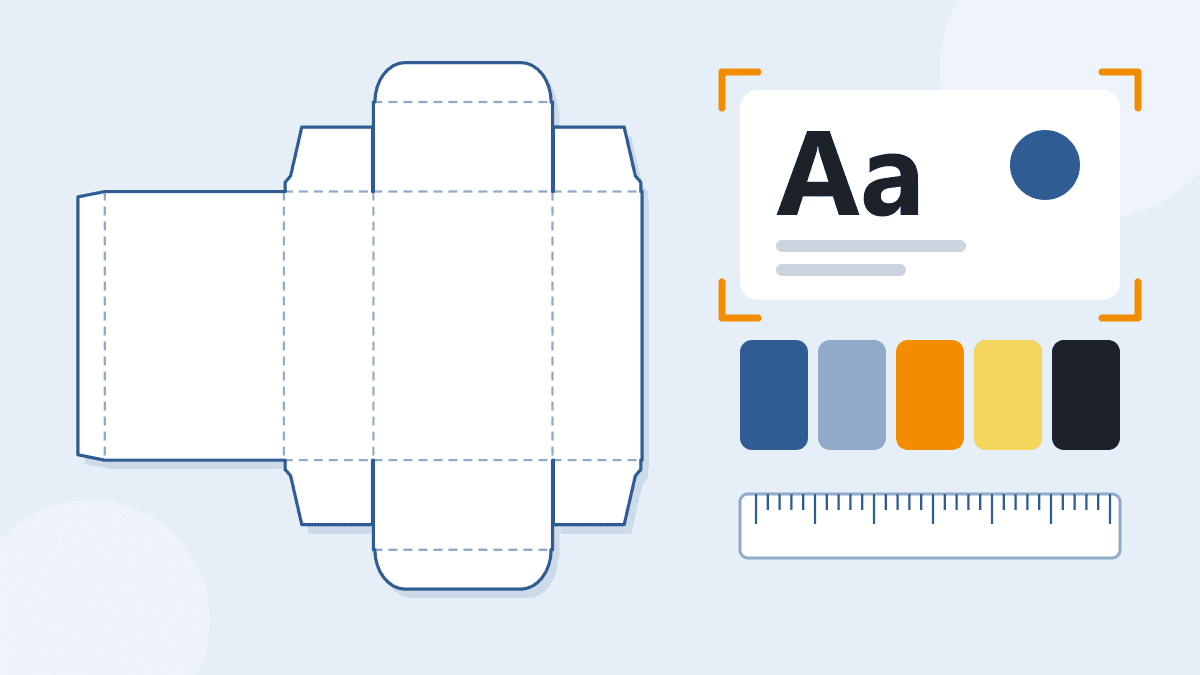
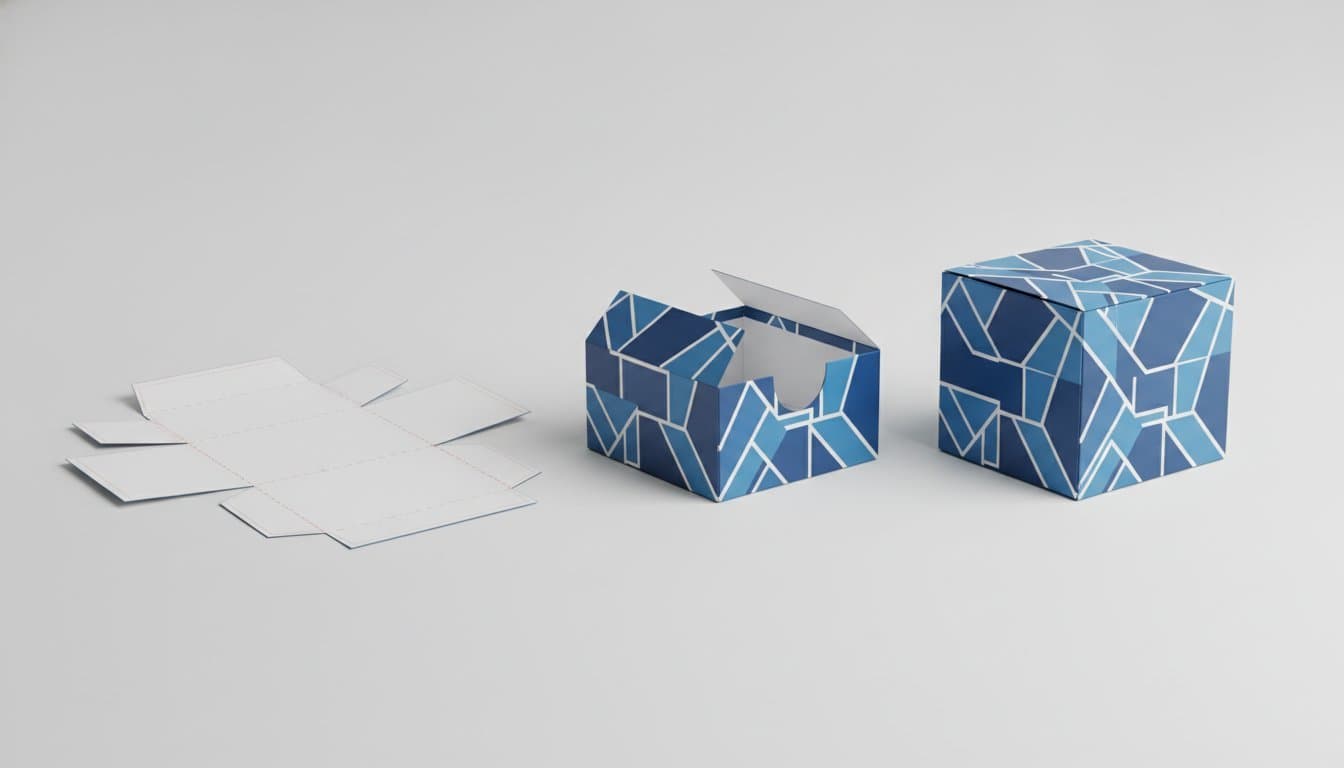
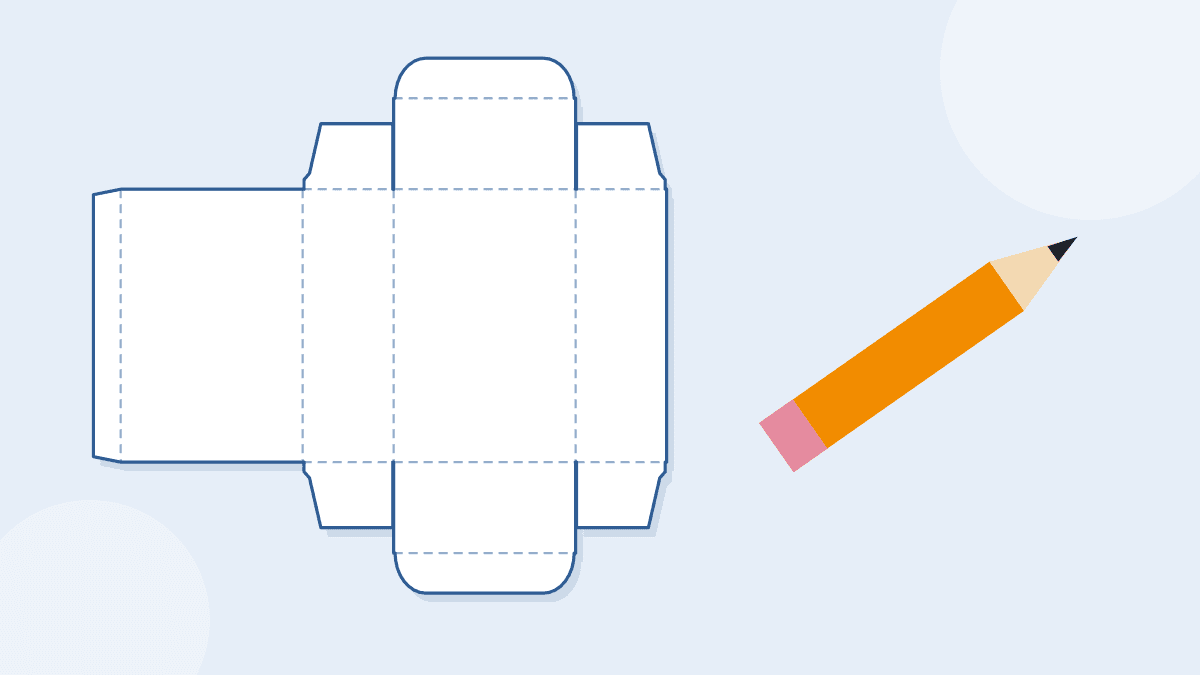
A dieline is the flat pattern of the box. It shows the cut lines and the fold lines. Artwork is placed on the dieline so the design lands on the right panels.
- Get the dieline for your style. Our free dieline templates are available as PDF, SVG and DXF, in real size and with no sign-up. Type your size and download the pattern. They do not compensate for board thickness, and we confirm the final dieline with you before printing.
- Keep the design on the right panels. Do not place a logo across a fold, and keep important text away from the edges.
- Add bleed. Bleed is a small extra area of color beyond the cut line, so no white shows if the cut shifts a little. Read what bleed is.
- Use high-resolution images and vector logos. Low-resolution pictures print blurry.
- Plan the inside. Decide whether the inside is plain or printed, and whether an insert is needed.
Our help article on the packaging dieline explains the lines in more detail. We include free design support if you want a hand.
Step 6: Sample, Test and Revise
A sample is a low-cost place to find a mistake. It shows how the box feels, whether the product fits and how it opens.
- Structural sample. An unprinted prototype that shows size and form. Use it to check the fit and the closure.
- Print check. A printed proof or sample shows how colors and finishes look on the real board.
- Standard Sample Kit. At $50, shipping included, it lets you compare materials and styles. It may not include rigid boxes or boxes that ship assembled. See the samples page for every sample type.
When you have a sample, test it:
- Put the real product in and check the fit, with its wrap and any insert.
- Open and close it ten times. Does the closure hold?
- If you ship, pack it and try a few drops from waist height.
- Put it on a shelf, or in a photo, and check that the front can be read from a distance.
- Ask a few people to open it and find the information.
Change what the test shows, then check again. The cost of a second sample is small compared with a full run of the wrong size.
Step 7: Set the Budget and the First Order
Packaging cost per box depends on quantity, size, board, print, finish and structure. Starting prices are on each product page, and your exact price comes with a quote. Quotes include shipping to the US and Canada, and taxes and duties are not included.
How Many to Order the First Time
Minimums depend on the product, and each product page states its own. Most of our box types start at 50 or 100 units, and rigid boxes have a low minimum and shipping boxes start at 50. For a new product, a smaller first run tests the market, but the cost per box is higher. A larger run lowers the cost per box but ties up cash and storage, and a design change would waste the stock.
Here is a simple example, not a real customer. A new tea brand expects to sell about 150 tins a month at first. A first run of 500 boxes is about three months of sales, which leaves time to change the design if feedback says so. A run of 5,000 would last almost three years, and the box would probably change before it was used up.
What to Spend On
Spend first on fit and the front of the box. A clean one-color print on the right board often beats an expensive design on the wrong one. Add finishes and inside print as sales grow.
Step 8: Plan the Timeline and the Launch
Work backward from the date the product must be on sale. Add the steps in reverse, then add a buffer. Time is lost in sampling and artwork changes more than in production.
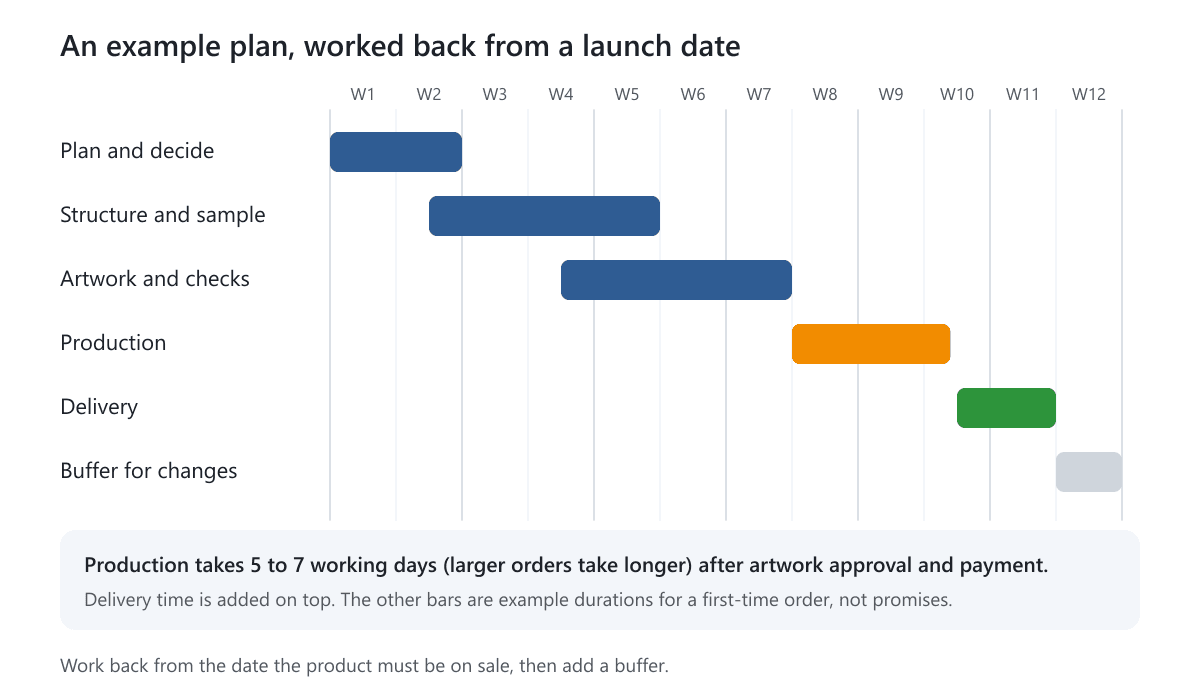
Our production time is 5 to 7 working days after artwork is approved and payment is received. Larger or more complex orders can take longer, and we confirm the date in your quote. Delivery time is added on top. The other durations in the plan above are examples for a first order, and yours will differ. If you are short of time, read about rush orders and see our turn around time article.
Common Mistakes When Packaging a New Product
- Designing the look before the structure. A beautiful design on the wrong box has to be redone.
- Guessing the size. Measure the product with its wrap and insert. See our measuring guide.
- Skipping the sample. The fit problem shows up only after thousands are printed.
- Leaving required text to the end. It then gets squeezed onto a panel that is too small.
- Ordering too much. You may change the design after the first reviews.
- Ignoring shipping. A retail box is not a shipping box. Plan both if you sell online.
- No buffer in the schedule. Artwork and samples always take longer than planned. See 5 mistakes small brands make when ordering packaging.
Special Cases
- Food and products that touch skin. Tell us what the box holds, and we confirm suitable options. Check the labeling rules for your product.
- Fragile products. Add an insert, choose a stronger board and test drops.
- Seasonal or limited editions. Order small and avoid dating the design if you might reuse the box.
- A range of variants. Keep one layout and change a color or a label, so the range reads as a family and you can reorder one variant at a time.
- Selling in stores. Ask the retailer for shelf, peg and barcode requirements before you design.
New Product Packaging Launch Checklist
- The one-page brief is complete.
- The product is measured with its wrap, in one unit.
- The box type and board are chosen for the sales channel and shipping.
- The message order is set and the required text is checked.
- Logo files, colors and images are ready.
- The artwork is built on the dieline with bleed.
- A sample passed the fit, closing, drop and readability tests.
- The quantity and budget are agreed.
- The timeline works back from the on-sale date, with a buffer.
- Storage space is ready for the boxes.
Your Next Step
Fill in the one-page brief, then download the dieline template for your box style and try your size. When you are ready, get a free quote and send the brief. We include free design support and reply within 1 business day. To handle a few styles first, order the Standard Sample Kit.
Frequently Asked Questions
How do I design packaging for a new product?
Define the product and the buyer, list limits such as size, weight, shipping and budget, choose a box type and material, plan the message, build the artwork on a dieline, test a sample and then order. Work back from your launch date.
How long does it take to get packaging for a product launch?
Production takes 5 to 7 working days after artwork is approved and payment is received. Larger or more complex orders can take longer, and we confirm the date in your quote. Delivery time is added on top. Add time for sampling and artwork changes, which often take longer than production.
How many boxes should I order for a new product?
Order enough for a few months of sales so that you can change the design if feedback asks for it. Minimums depend on the product, and each product page states its own. Most of our box types start at 50 or 100 units, and rigid boxes have a low minimum and shipping boxes start at 50.
Do I need a sample before I order packaging?
It is strongly worth it for a new box. A structural sample is an unprinted prototype that shows size and form, so you can test the fit and the closure. The Standard Sample Kit costs $50, shipping included.
What information must be on my packaging?
That depends on the product and the market. Typical items are the product name, quantity, ingredients, directions, warnings, company details and a barcode. The brand owner is responsible for the text. Check the rules for your product before the artwork is final.
What is a dieline and why do I need one?
A dieline is the flat pattern of a box, showing cut and fold lines. Artwork is placed on it so the design lands on the right panels. Our free dieline templates come as PDF, SVG and DXF.
How do I keep packaging costs down for a new product?
Get the fit right, choose the simplest structure that does the job, limit print to what matters and order a sensible quantity. Add finishes later as sales grow. Our guide on packaging costs explains each cost driver.
Written by the PacksDo Team
We make custom printed packaging, from boxes and mailers to bags, labels and inserts. Questions about this guide? Ask us.